


Basic characteristics
- Cutting options
- Bevel cutting with a circular saw by tilting it to the desired angle.
- Cutting tiles of various sizes, cutting strips, cutting circular and elliptical slabs, and cutting triangles and other shapes according to the program.
- Easy to use, advanced features
- Manual or automatic workpiece positioning (rotation, translation, size, etc.) with the option to save settings.
- Easy selection of the starting point.
- Quick shop-floor programming via dialog-based entry of the most common shapes.
- Ability to create custom part programs, including parametric programming.
- Integration into the corporate environment
- Monitoring of job parameters (total machining time, cut length, etc.)
- Machine usage statistics – monitoring of machine and individual tool operating time, total cut length, cut length of individual tools, etc.
- Automatic or manual generation of machine usage reports.
- Estimation of machining time before starting work.
- Ability to run the software in simulation mode on a standard PC – easy training and testing.
- Improving machine accuracy
- Machine backlash compensation.
- Nonlinear corrections – corrections for axis nonlinearity, tilt, deflection, and similar issues.
- Maintenance and troubleshooting
- Machine lubrication control.
- Monitoring the wear and tear of consumable parts.
- Remote support and diagnostics.
- Error and event logging for diagnostic purposes.
- Service schedule – alerts you when a part needs to be replaced, maintenance is required, or routine service is due.
Operator panel
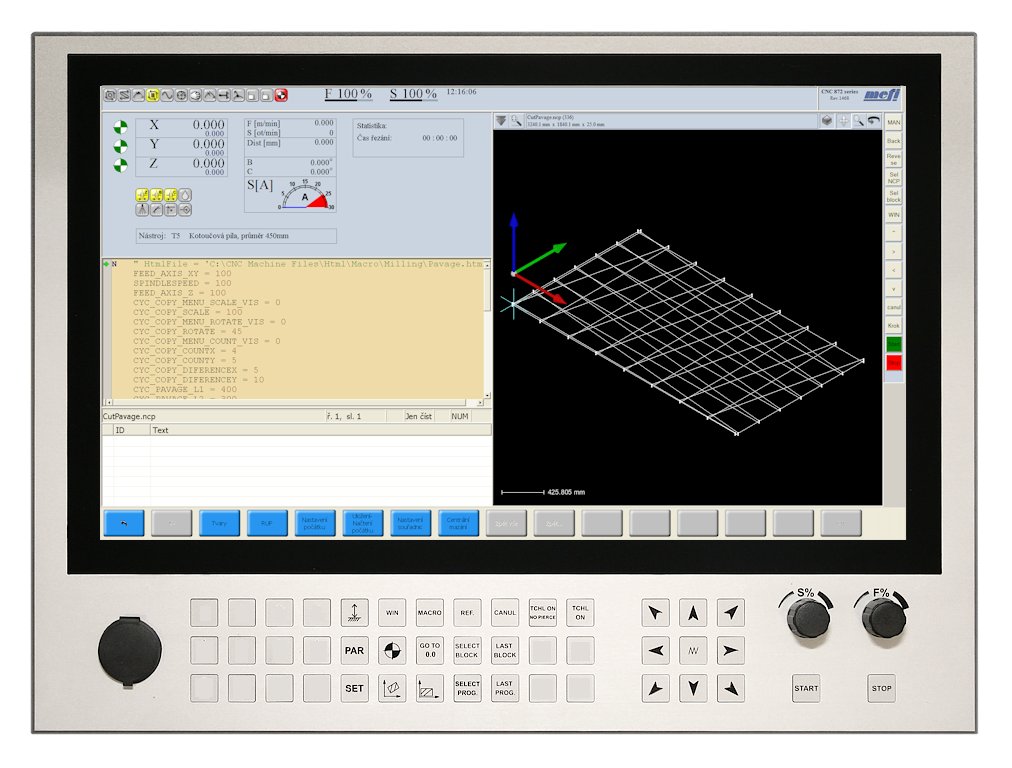
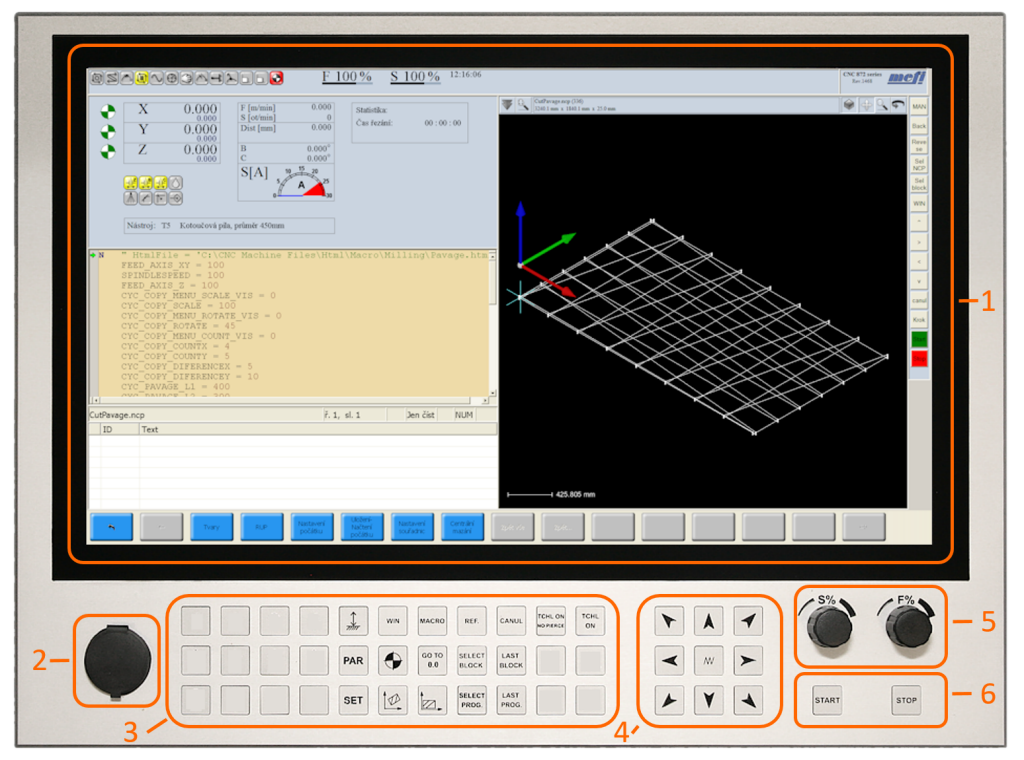
The operator panel is designed for fast and intuitive operation. It is equipped with a multi-touch display that makes all control system functions easily accessible. At the same time, it offers considerable flexibility by allowing only those controls that are needed on the machine to be displayed. Physical buttons below the display are dedicated to controlling machine movements. The tactile response makes it easier to operate the machine. A part of the physical buttons is also dedicated to control the most used machine functions.
 Control system panel
- Multi-touch display.
- Dual USB connector for connecting flash memory, keyboard or other peripherals.
- Buttons for controlling the most used functions of the control system and the machine. The layout can be adapted to a specific machine line.
- Buttons to control movements.
- Potentiometers for adjusting speed and rotational speed compared to the programmed values.
- Start and Stop buttons.
User interface
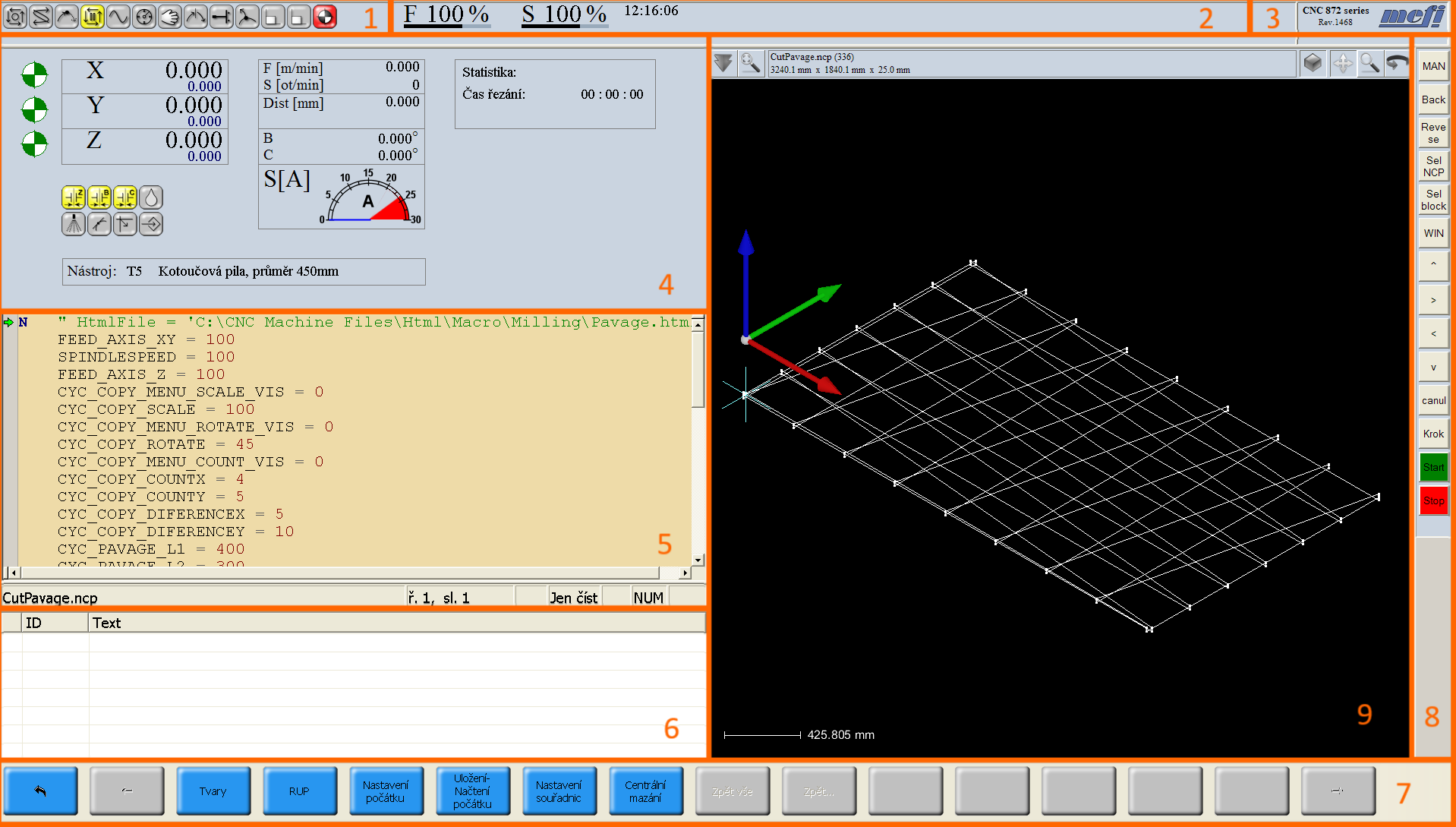
The user interface is fully adapted to touch control. The main screen shows the status of the machine and other connected devices and information about the program being executed in an intuitive way, while the most used functions are easily accessible.
Control system user interface main screen
- Machine status indication.
- Feed override, speed override, current time and, optionally, other elements specific to the machine.
- Information about the software and its revision.
- Information about position, speed, RPM, and other parameters important for machine operation.
- NC program or edited file.
- Persistent messages window.
- Software menu.
- Buttons to access the most used functions.
- Graphical preview of NC program, name of the executed program and its dimensions, optionally other information.
Localization
The software is fully localized into the following languages (partial localization is available for other languages, where only the most important parts of the software are translated):
- Czech
- English
- German
- Polish
- Russian
Set up the workpiece
- Automatic setup
- Manual setup
Technological features
- Kerf width compensation.
- Making bevel cuts by tilting the saw to the desired angle.
- Possibility of milling.
Workshop programming
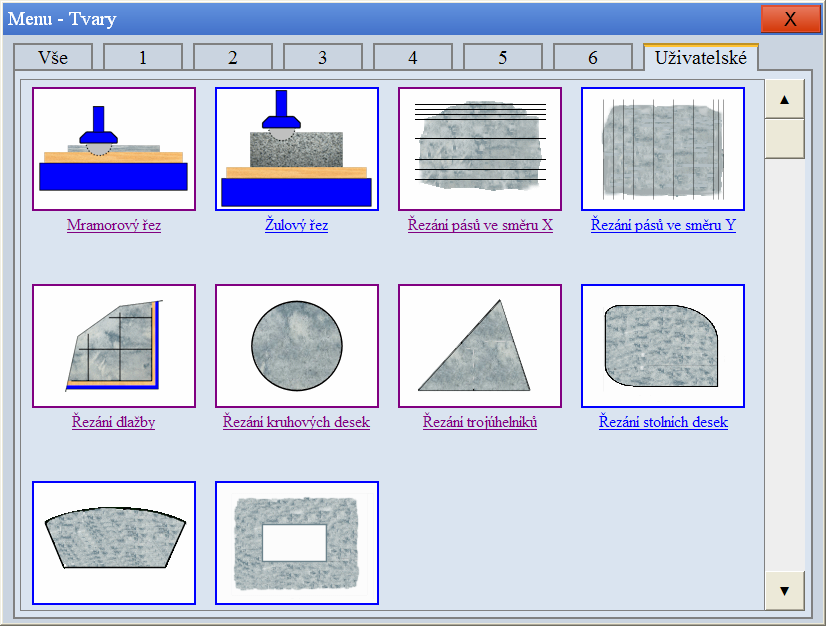
- Shapes – the most commonly used shapes are available; after entering the required dimensions and any other parameters, you can start machining without having to generate NC code.
- On request, we can prepare customized shapes.
 Dialog with shape selection
| Document | Description |
 CNC872_Brochure_StoneCuttingCSY.pdf |
Brochure describing solutions for lathes and vertical lathes, in Czech. |
| CNC872_Brochure_StoneCuttingENU.pdf |
Brochure describing solutions for lathes and vertical lathes, in Entlish. |